
Mariam Design
About
Use case 1: 2020 / Product Design
Smart Praxis
a modern GP clinic in Munich that leverages digital technologies to improve patient communication and optimize treatment.
User research
BRAND IDENTITY
app design
Style Guide
WEB DESIGN
Prototyping
Overview
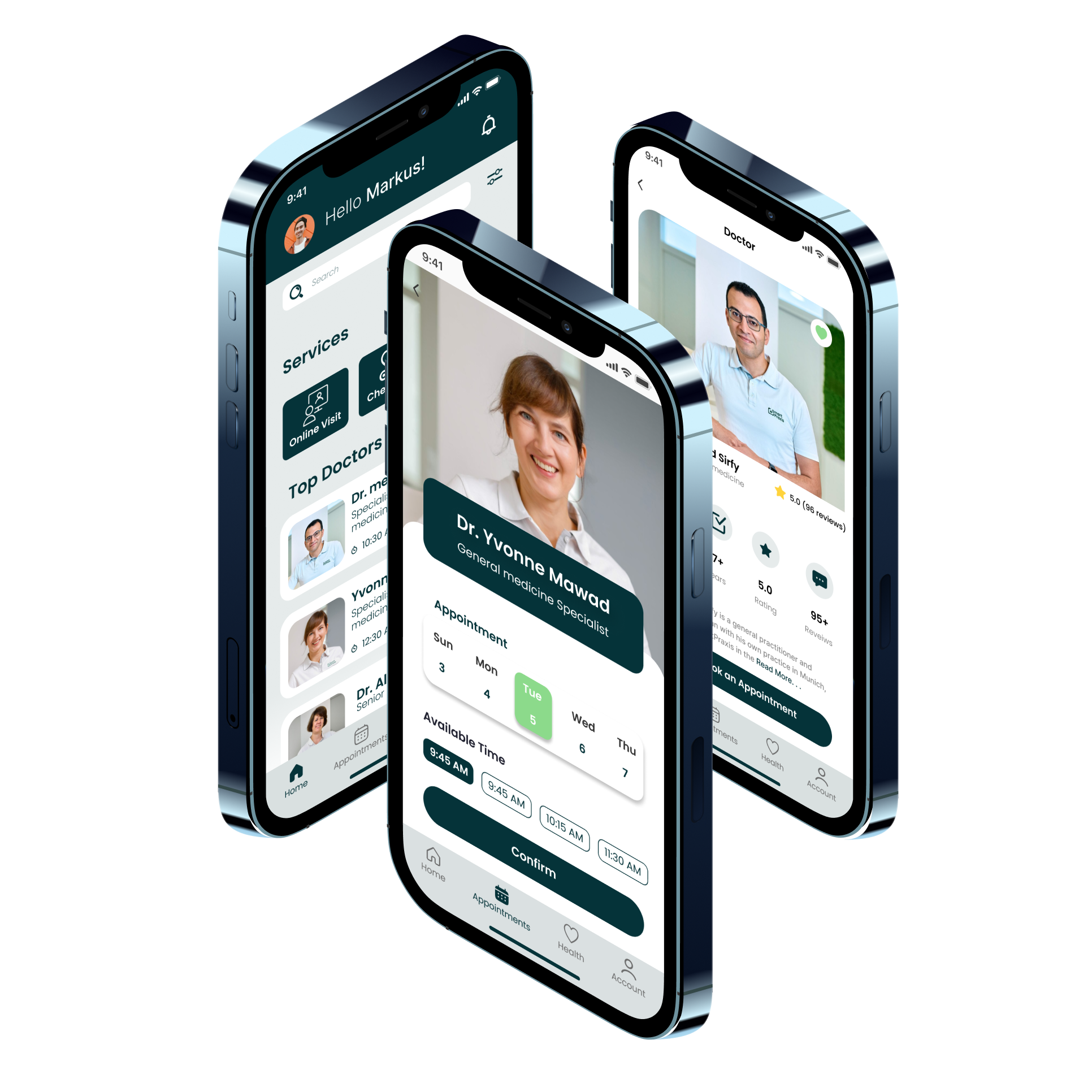
The pandemic revealed gaps in tech and communication, highlighting the need for “SMART PRAXIS” to fully digitize its brand and app. I redesigned the brand and created a user-centered medical platform that simplified patient interactions and unified services into one experience, leading the design process from concept to final UI.
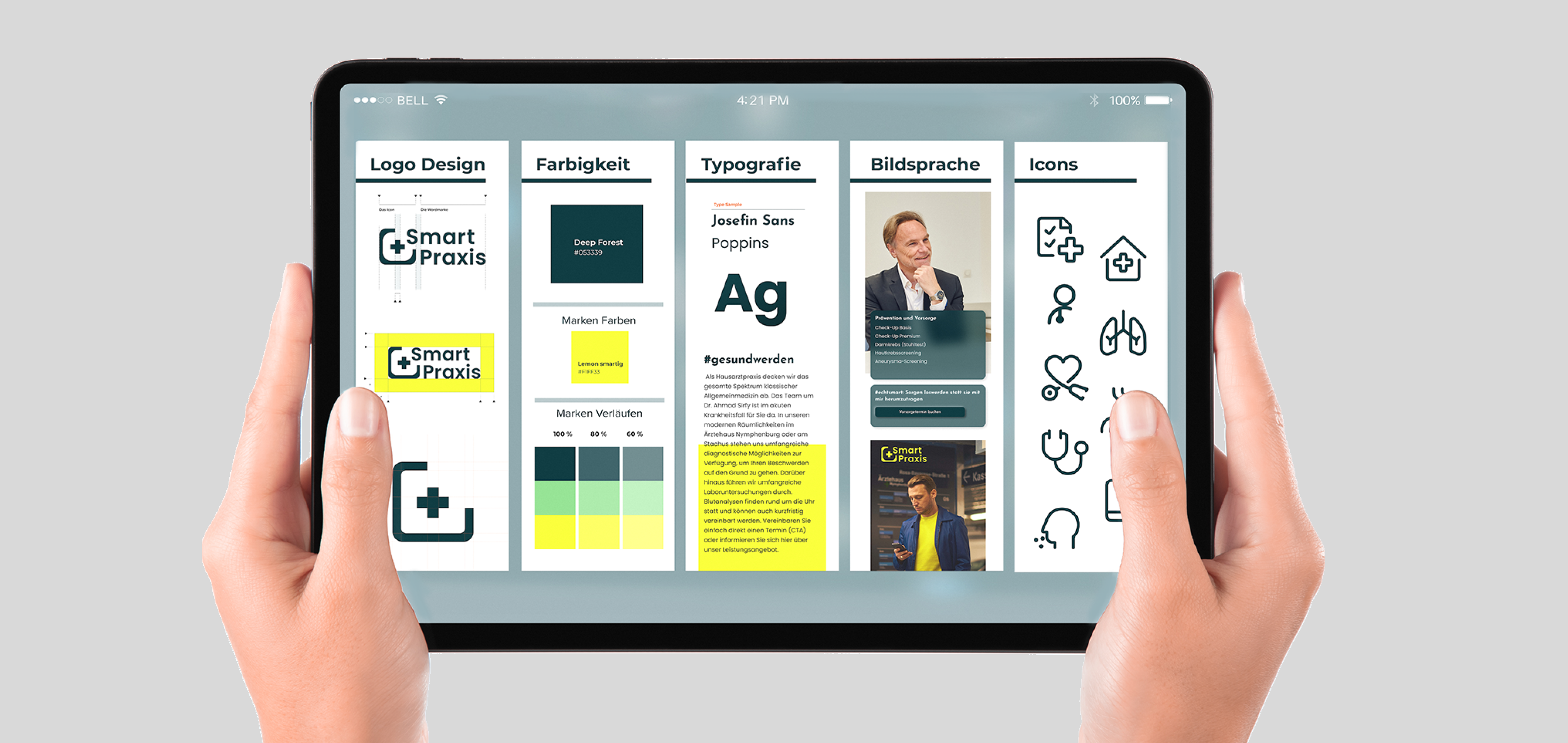
A brand style guide was created to make it easier to apply brand elements consistently.
Challenge
The process of developing the medical application was filled with challenges — such as defining the product’s core functionality while also generating various features that would allow users to intuitively and easily access essential information and medical services quickly through their mobile devices.
Wireframing & Feedback
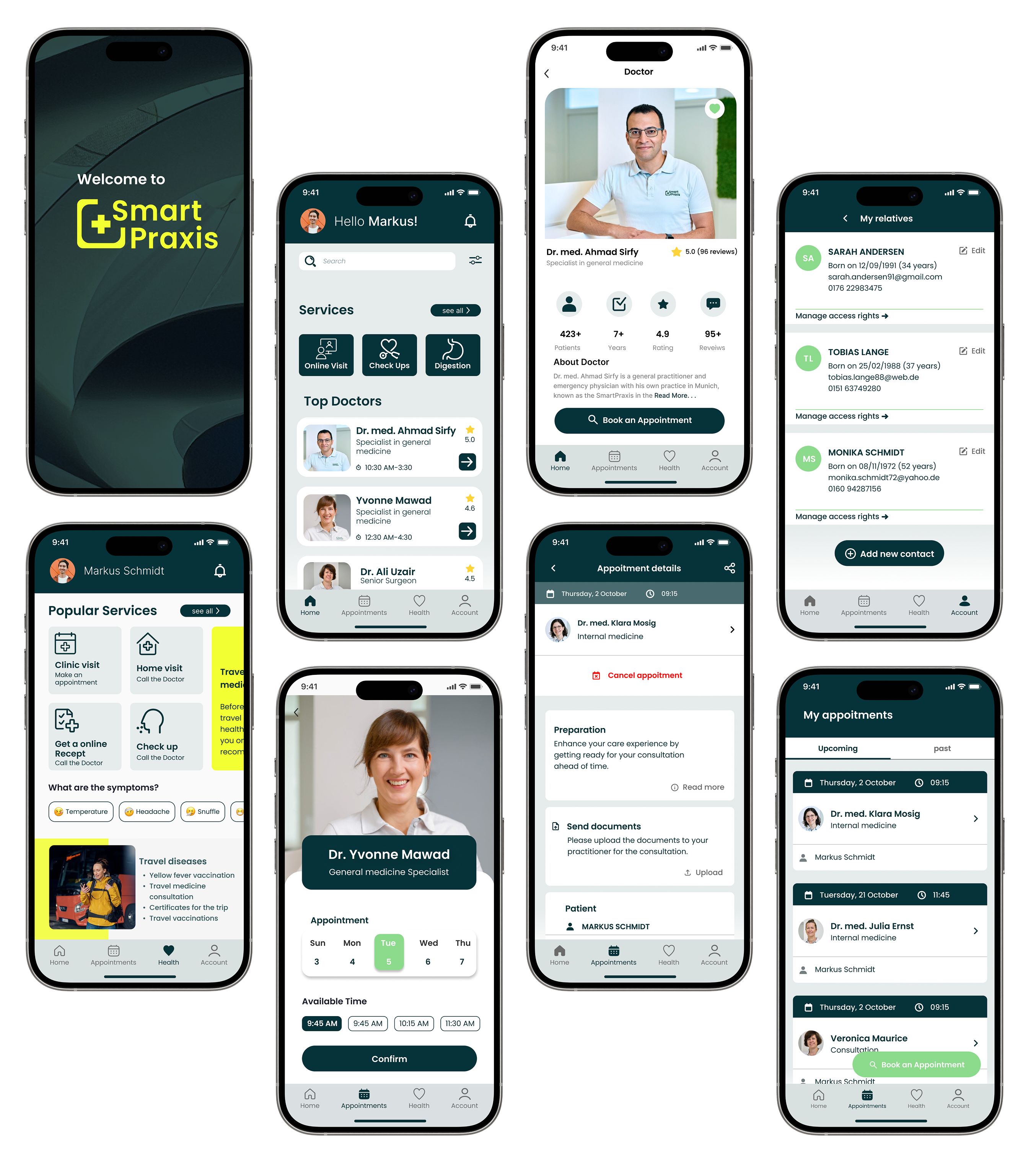
In the early ideation phase, I explored multiple ways to organize features and information on the patient dashboard. Initial prototype testing revealed a few usability bottlenecks, which I addressed to ensure users could quickly access medical information and services with an intuitive, seamless experience.
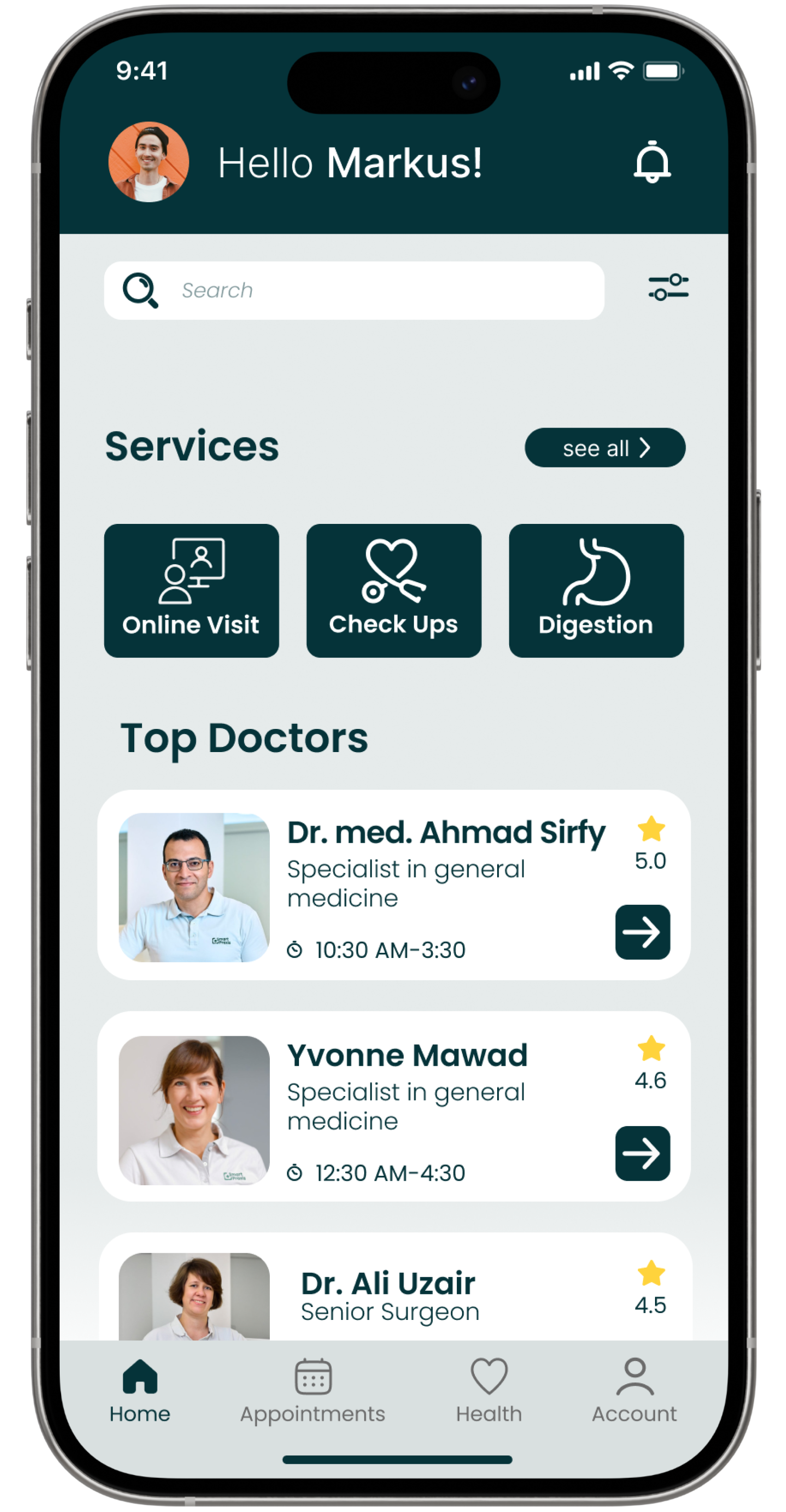

A search button with a filter function allows users to quickly and easily find the information they need.

The card shows doctors by availability and specialty. Photos enhance user experience, and a search button with filters helps users find info quickly.
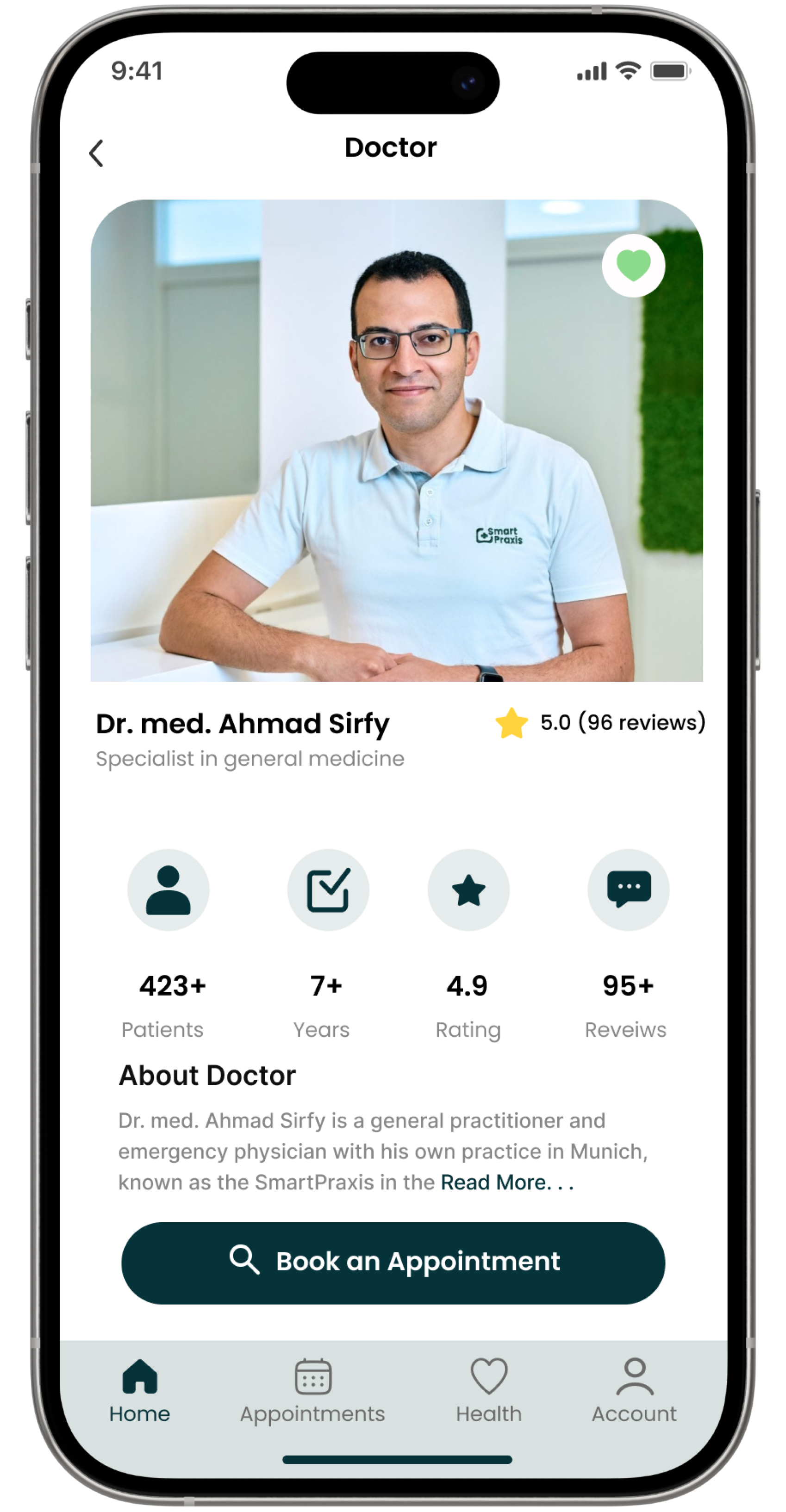
Users can access information about doctors, including bios and ratings.
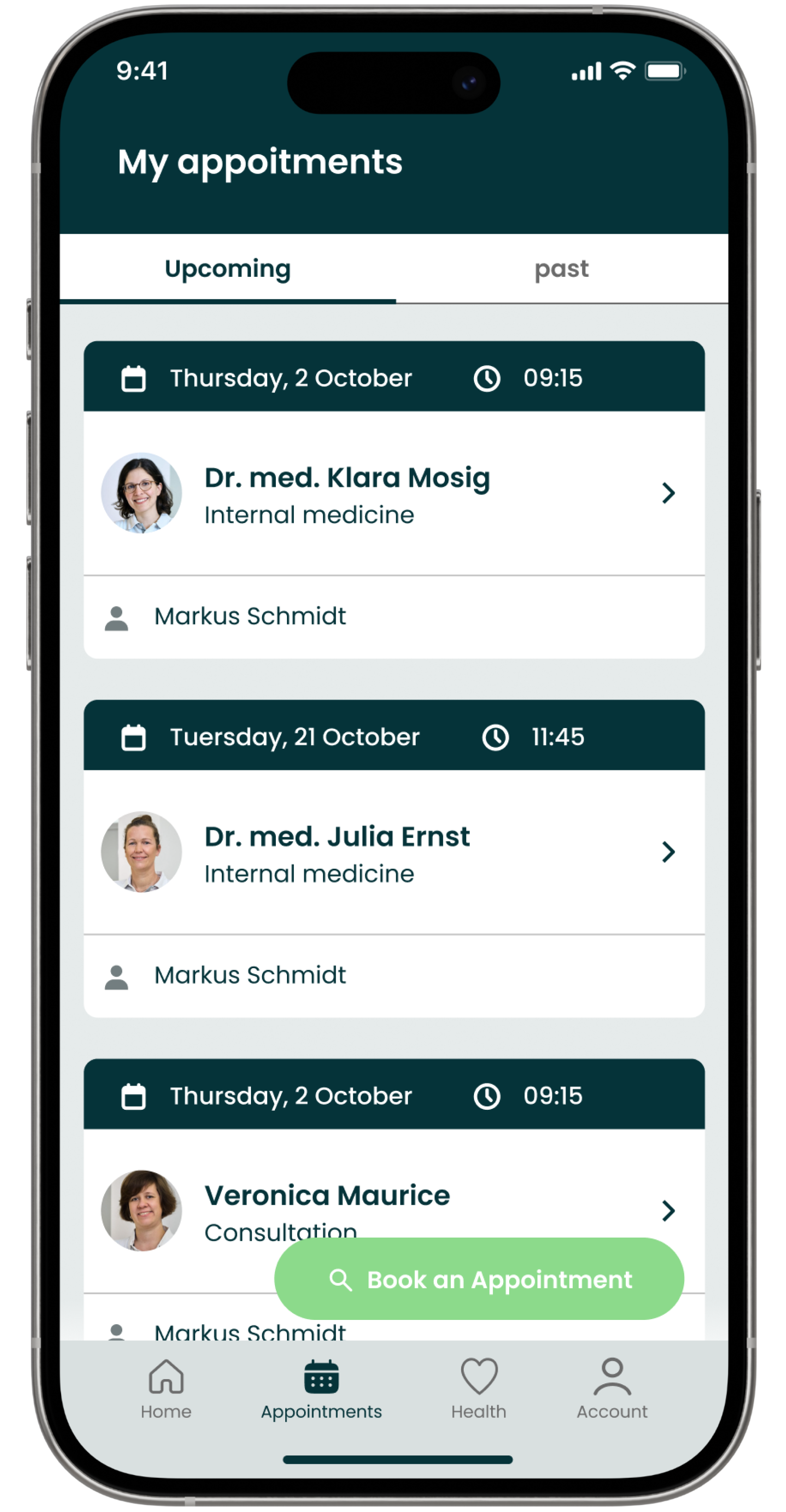

The appointment card offers easy access to key details and a clear overview of visits.
The floating button lets users book a doctor appointment in one click.
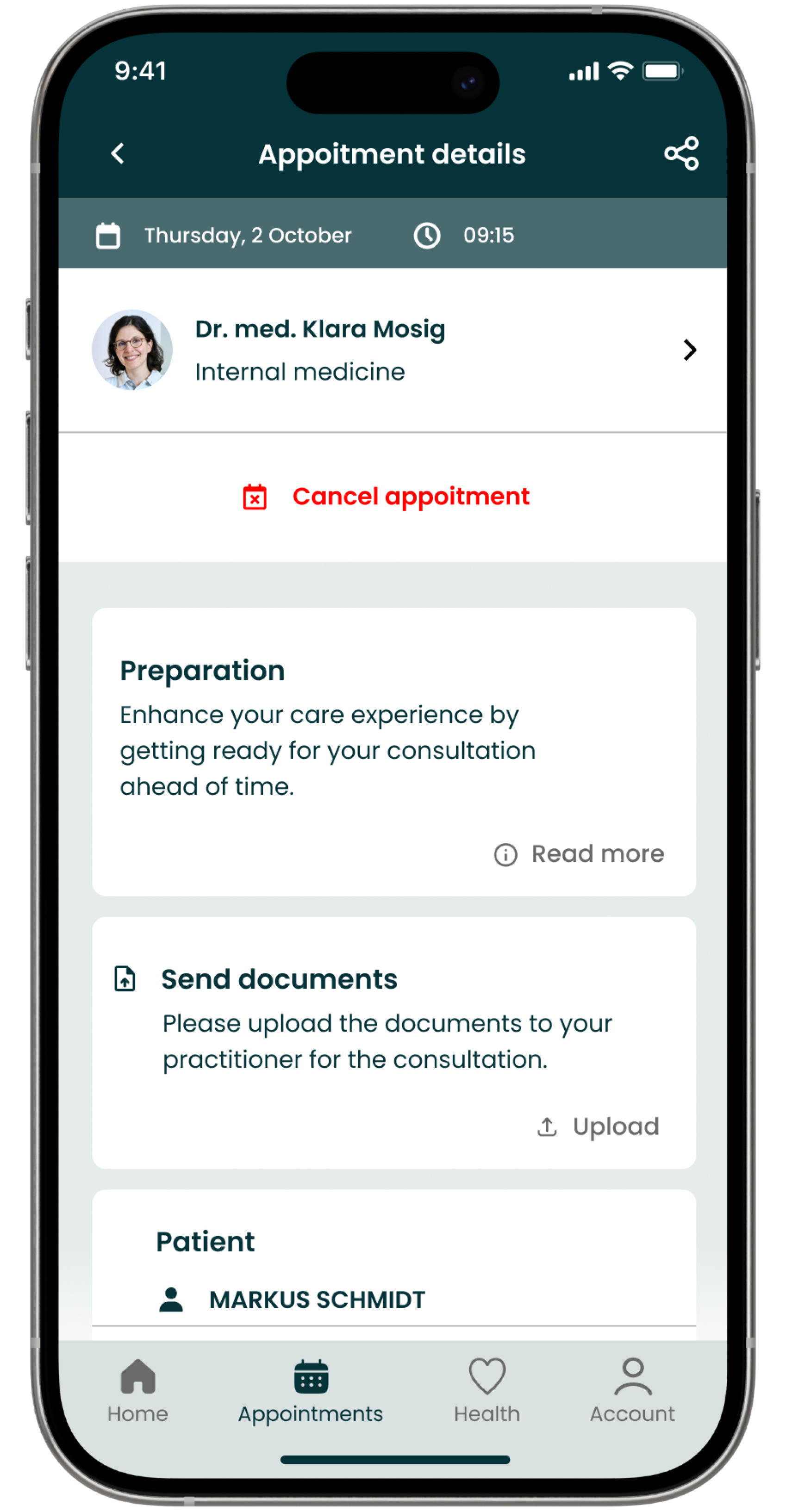
Users can cancel an appointment easily. The option is highlighted in red.
The document upload for doctor visits ensures secure, eco-friendly, and paperless medical services.
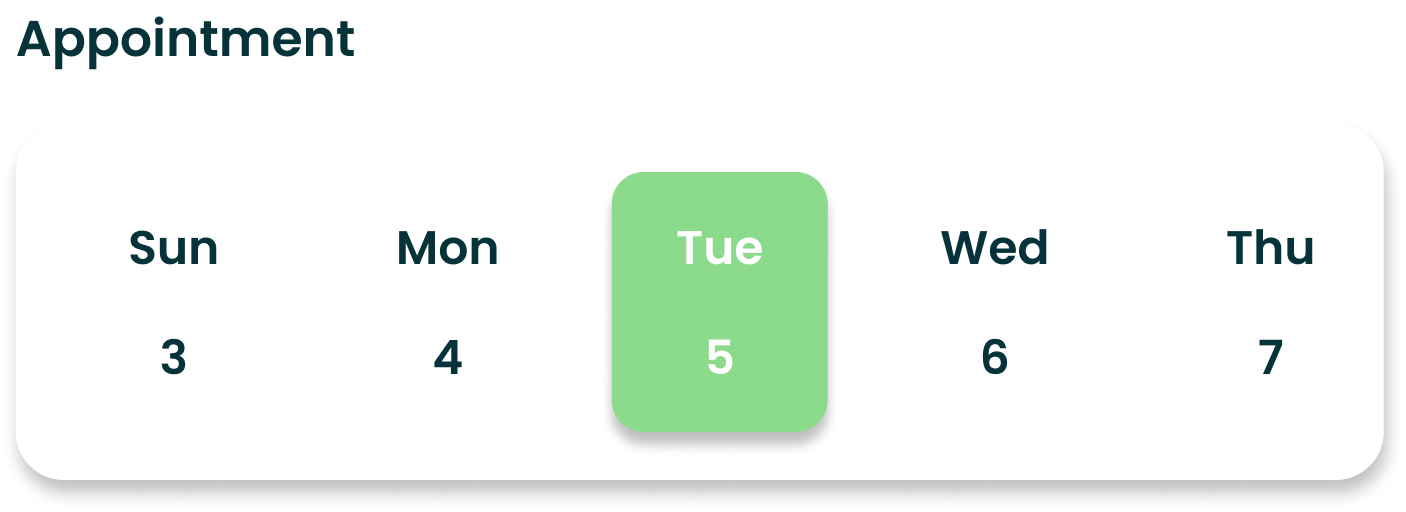

The highlighted date on the weekly calendar makes it easy for users to remember their scheduled appointments.

Chip-style buttons show available time slots, making appointment booking simple and user-friendly for patients.
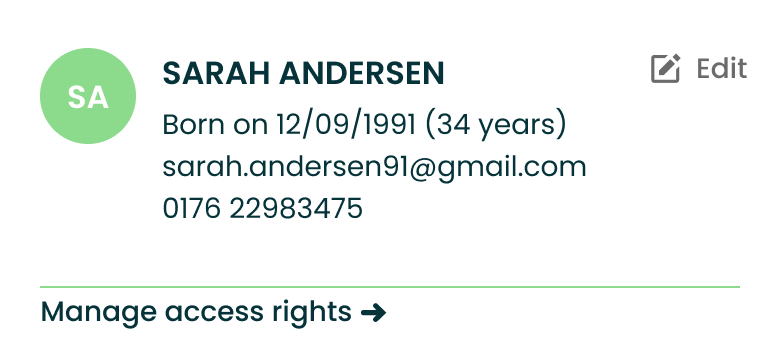
Schedule doctor appointments for family members in one account, great for elderly or children.
Webdesign
Responsive design is crucial for ensuring compatibility across a wide range of hardware devices, which is why it is so important to use it.
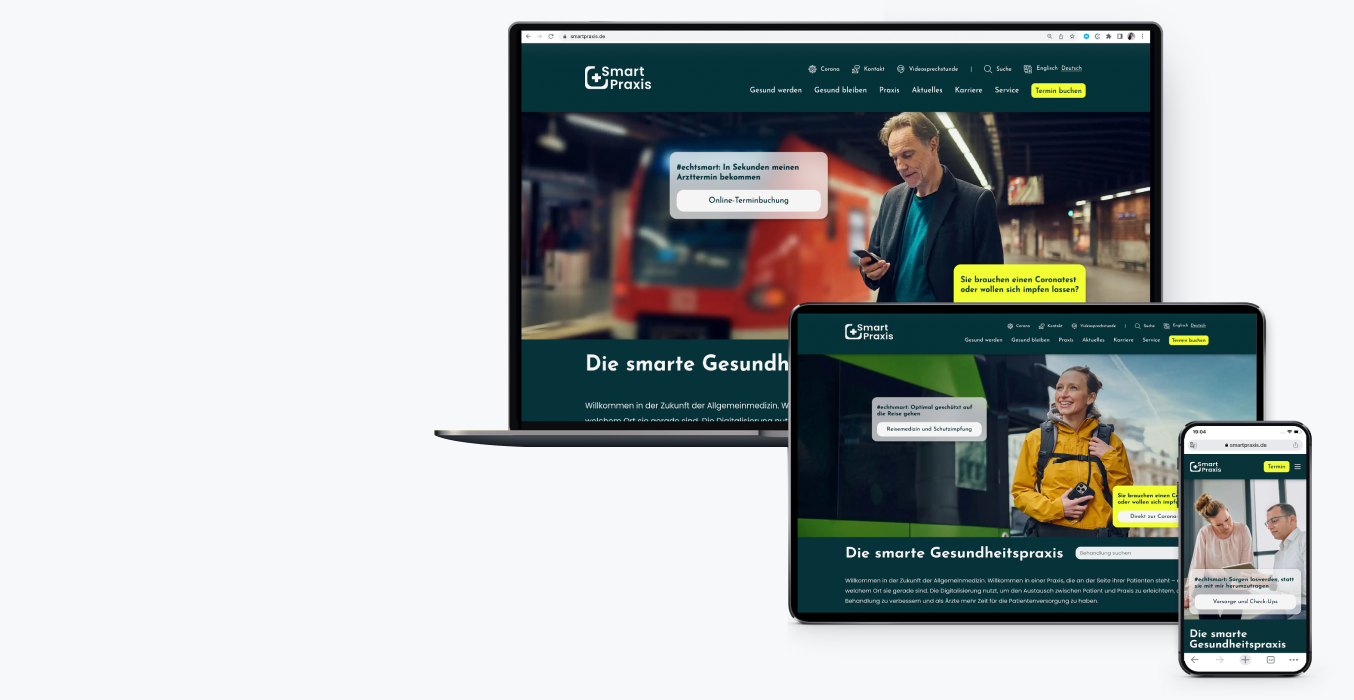
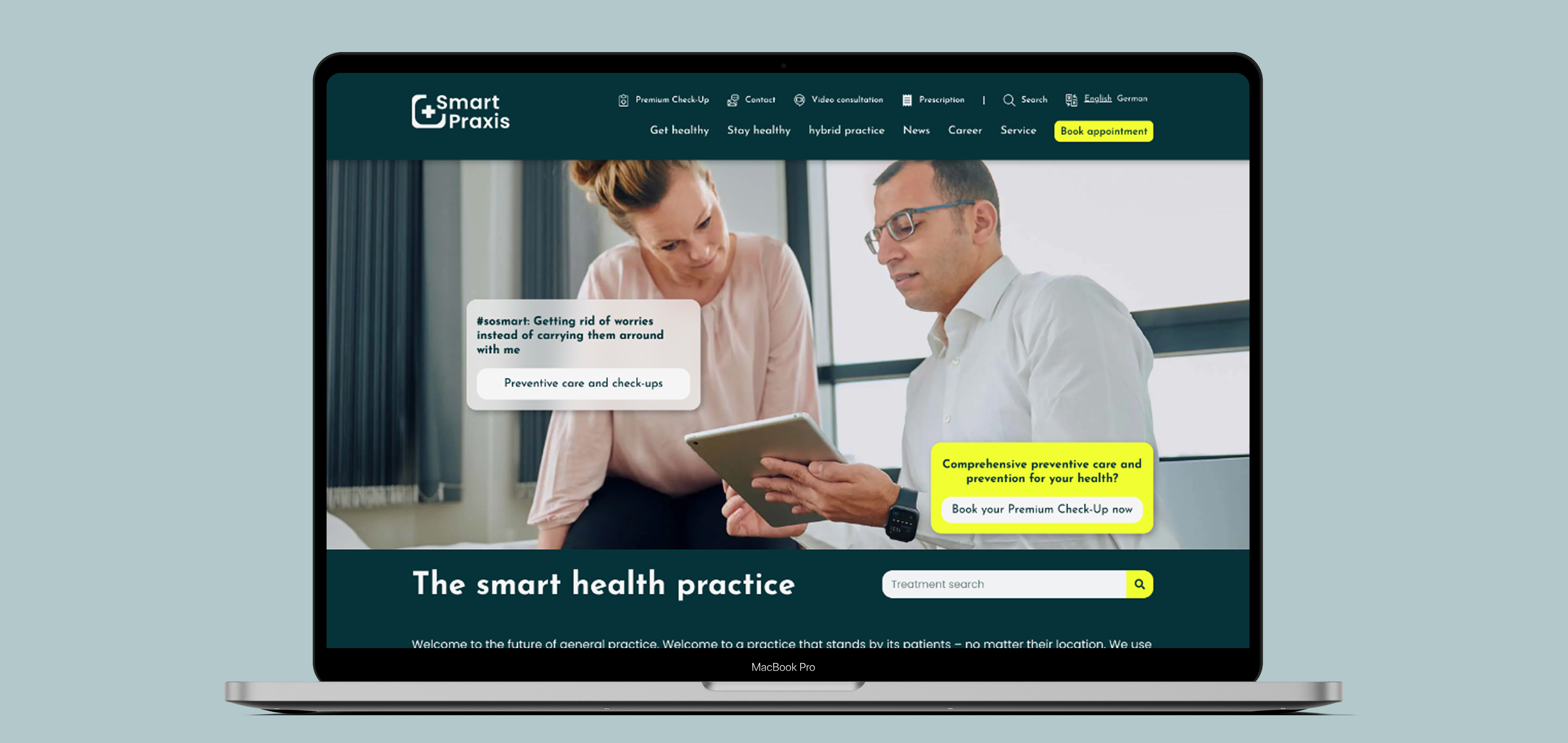
A contemporary landing page that is characterised by its ease of use and intuitive design.

Mobile-first design starts with small screens to ensure usability and performance on all devices.

THE RESULT & LEARNING
Smart Praxis gained a unified brand identity and intuitive web presence that appealed to patients and practitioners alike, boosting bookings by 25% via the new website and earning praise for the app’s clarity and usability. I learned to balance medical compliance with UX best practices and used flexible component libraries to accelerate web development while maintaining visual consistency.
DELIVERABLES
- Competitive Analysis
- Personas & User Journeys
- UI Style Guide & Design System
- Interactive Prototypes
- Brand Manual & Stationery
Use case 1: 2020 / Product Design
Smart Praxis
a modern GP clinic in Munich that leverages digital technologies to improve patient communication and optimize treatment.
User research
Brand identity
App Design
web design
Style Guide
Prototyping
Overview
The pandemic exposed key technical and communication gaps, showing the need for “SMART PRAXIS” to go fully digital — from its brand identity to its web and mobile App presence.
I redesigned the brand and created a Design of user-centered medical platform that simplified patient interaction and unified multiple services into one cohesive experience. I led the end-to-end design process — from concept and wireframes to visual identity and final UI for both web and mobile.
A brand style guide was created to make it easier to apply brand elements consistently.
Challenge
The process of developing the medical application was filled with challenges — such as defining the product’s core functionality while also generating various features that would allow users to intuitively and easily access essential information and medical services quickly through their mobile devices.
Wireframing & Feedback
In the early ideation phase, I explored multiple ways to organize features and information on the patient dashboard. Initial prototype testing revealed a few usability bottlenecks, which I addressed to ensure users could quickly access medical information and services with an intuitive, seamless experience.

A search button with a filter function allows users to quickly and easily find the information they need.
The informational card design presents doctors based on their availability, specialty, and rating. Their photos, rather than just displaying names, create a more personal and positive user experience. A search button with a filter function allows users to quickly and easily find the information they need.
Users can access detailed information about doctors, including bios, ratings, and reviews. This builds trust and enhances credibility.
The appointment card design provides easy access to key details and offers a clear overview of both upcoming and past visits.
For a smooth navigation, the floating button allows users to book a new appointment with a doctor in just one click.
Users can cancel an appointment with a single click. The option is highlighted in red to indicate its importance as a warning and is easy to find quickly within the app.
The document upload feature for doctor visits supports smooth and secure medical service while also being eco-friendly and completely paperless.

The highlighted date on the weekly calendar makes it easy for users to remember their scheduled appointments.
Chip-style buttons show available time slots, making appointment booking simple and user-friendly for patients.
A feature for scheduling doctor appointments for family members in one account, useful for elderly patients and children.
Webdesign
Responsive design is crucial for ensuring compatibility across a wide range of hardware devices, which is why it is so important to use it.
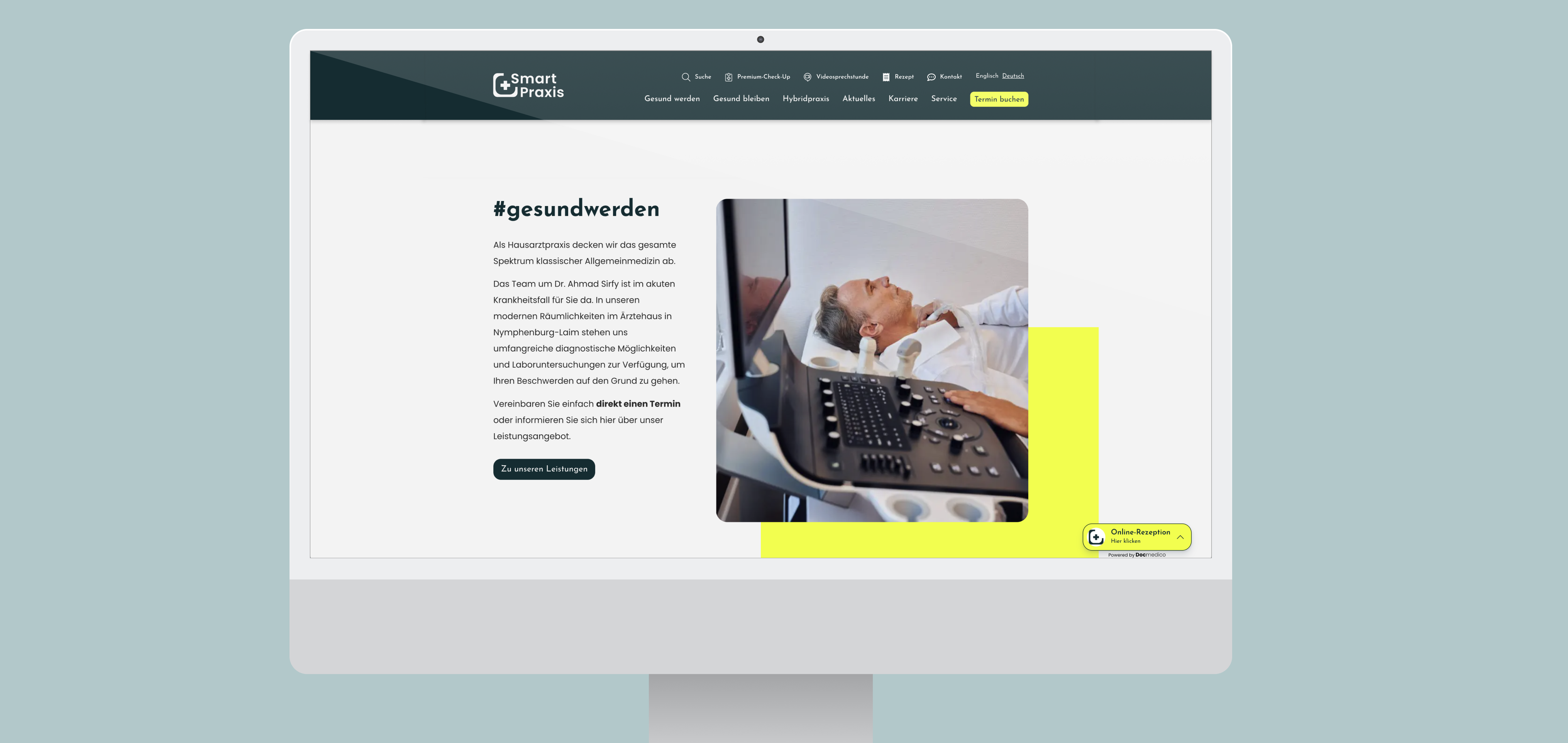


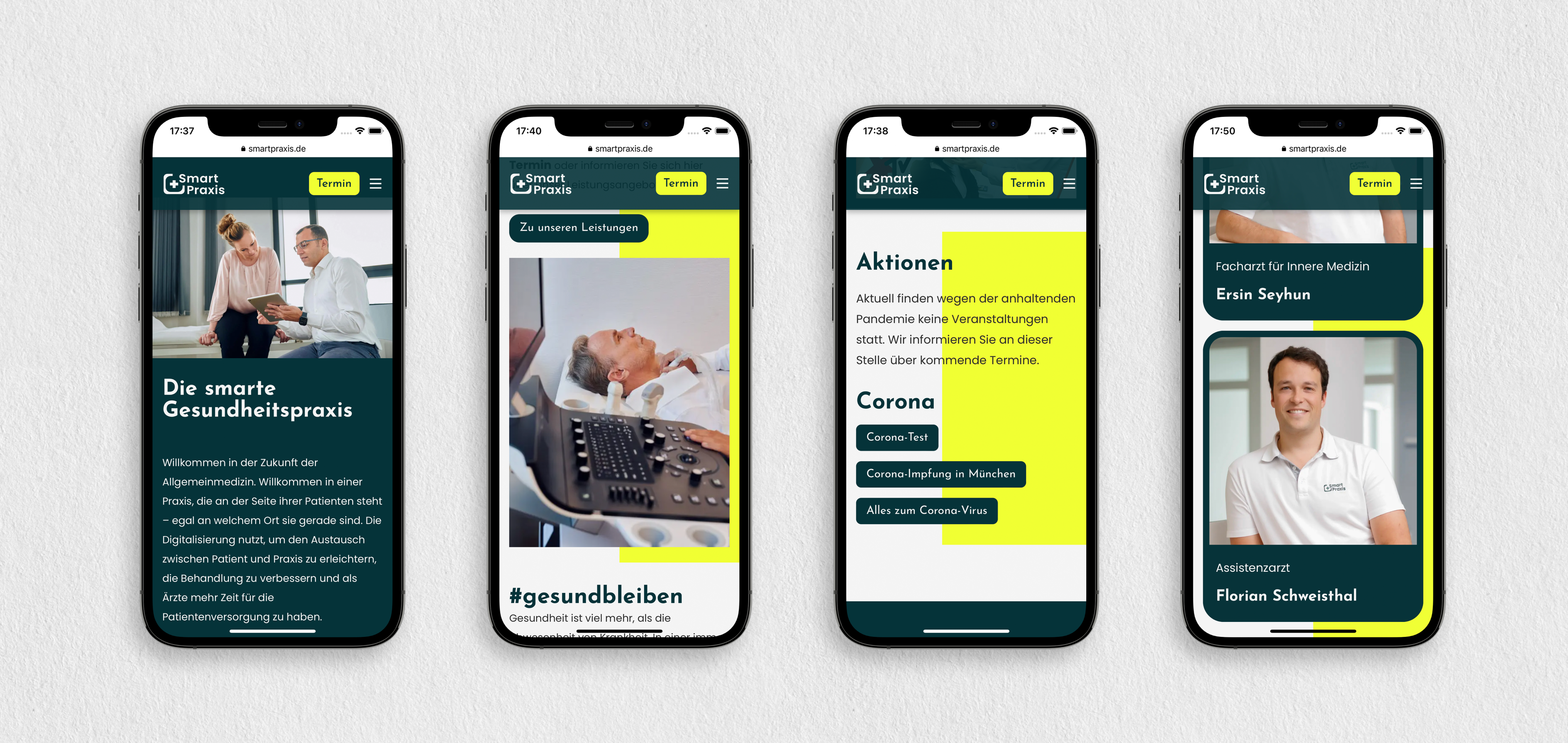
A mobile-first design approach prioritises small screens, ensuring optimal performance and usability across all devices.
Visit website

THE RESULT & LEARNING
Smart Praxis gained a unified brand identity and intuitive web presence that appealed to patients and practitioners alike, boosting bookings by 25% via the new website and earning praise for the app’s clarity and usability. I learned to balance medical compliance with UX best practices and used flexible component libraries to accelerate web development while maintaining visual consistency.
DELIVERABLES
- Competitive Analysis
- Personas & User Journeys
- UI Style Guide & Design System
- Interactive Prototypes
- App Design
- Brand Manual & Stationery
Next project
Back to Home

Mariam Design
About
Resume
Mariam Design
About
Resume
Use case 1 / 2020 / Product Design
Smart Praxis
a modern GP clinic in Munich that leverages digital technologies to improve patient communication and optimize treatment.
User research
Brand identity
App Design
web design
Style Guide
Prototyping
Overview
The pandemic exposed key technical and communication gaps, showing the need for “SMART PRAXIS” to go fully digital — from its brand identity to its web and mobile App presence.
I redesigned the brand and created a Design of user-centered medical platform that simplified patient interaction and unified multiple services into one cohesive experience. I led the end-to-end design process — from concept and wireframes to visual identity and final UI for both web and mobile.
A brand style guide was created to make it easier to apply brand elements consistently.
Challenge
The process of developing the medical application was filled with challenges — such as defining the product’s core functionality while also generating various features that would allow users to intuitively and easily access essential information and medical services quickly through their mobile devices.
Wireframing & Feedback
In the early ideation phase, I explored multiple ways to organize features and information on the patient dashboard. Initial prototype testing revealed a few usability bottlenecks, which I addressed to ensure users could quickly access medical information and services with an intuitive, seamless experience.
A search button with a filter function allows users to quickly and easily find the information they need.
The informational card design presents doctors based on their availability, specialty, and rating. Their photos, rather than just displaying names, create a more personal and positive user experience. A search button with a filter function allows users to quickly and easily find the information they need.
Users can access detailed information about doctors, including bios, ratings, and reviews. This builds trust and enhances credibility.
The appointment card design provides easy access to key details and offers a clear overview of both upcoming and past visits.
For a smooth navigation, the floating button allows users to book a new appointment with a doctor in just one click.
Users can cancel an appointment with a single click. The option is highlighted in red to indicate its importance as a warning and is easy to find quickly within the app.
The document upload feature for doctor visits supports smooth and secure medical service while also being eco-friendly and completely paperless.

The highlighted date on the weekly calendar makes it easy for users to remember their scheduled appointments.
Available time slots displayed as chip-style buttons make booking appointments simple and comfortable, providing an essential and user-friendly feature for patients.
A feature that enables users to schedule doctor appointments for family members or acquaintances within a single account — particularly helpful for elderly patients, young children, or individuals with disabilities.
Webdesign
Responsive design is crucial for ensuring compatibility across a wide range of hardware devices, which is why it is so important to use it.


A mobile-first design approach prioritises small screens, ensuring optimal performance and usability across all devices.
Visit website
THE RESULT & LEARNING
Smart Praxis gained a unified brand identity and intuitive web presence that appealed to patients and practitioners alike, boosting bookings by 25% via the new website and earning praise for the app’s clarity and usability. I learned to balance medical compliance with UX best practices and used flexible component libraries to accelerate web development while maintaining visual consistency.
DELIVERABLES
- Competitive Analysis
- Personas & User Journeys
- UI Style Guide & Design System
- Interactive Prototypes
- App Design
- Brand Manual & Stationery
Next project
Back to Home